Emberseal
Self-hosted secure messaging
Get secrets out of ordinary email
Passwords, contracts and recovery codes end up in ordinary email every day, where they stay in inboxes forever. Emberseal replaces that with secure messages and credential requests that are destroyed when they expire.
Each recipient gets their own link and a one-time code, reads in the browser with no account or app, and everything stays on your own servers.
- Unlimited staff users and unlimited recipients on every plan
- Checked by your data loss prevention platform before anything is stored (Premium)
- FIPS 140-3 cryptography, and every access on the record
How it works
From your server to the right person, and then gone
Emberseal runs entirely in your environment. There is no hosted version, so your messages, keys and files never pass through anyone else’s cloud.
Run the server
One container in your own environment, with SurrealDB, Valkey and ClamAV beside it. Images for amd64 and arm64.
Connect sign-in and email
Staff sign in with your identity provider. Notifications go through your SMTP server, and codes can also go by text message.
Send
Write a message in Markdown or build a credential request, add recipients, and set how long it lives and how often it can be read.
Recipients verify and read
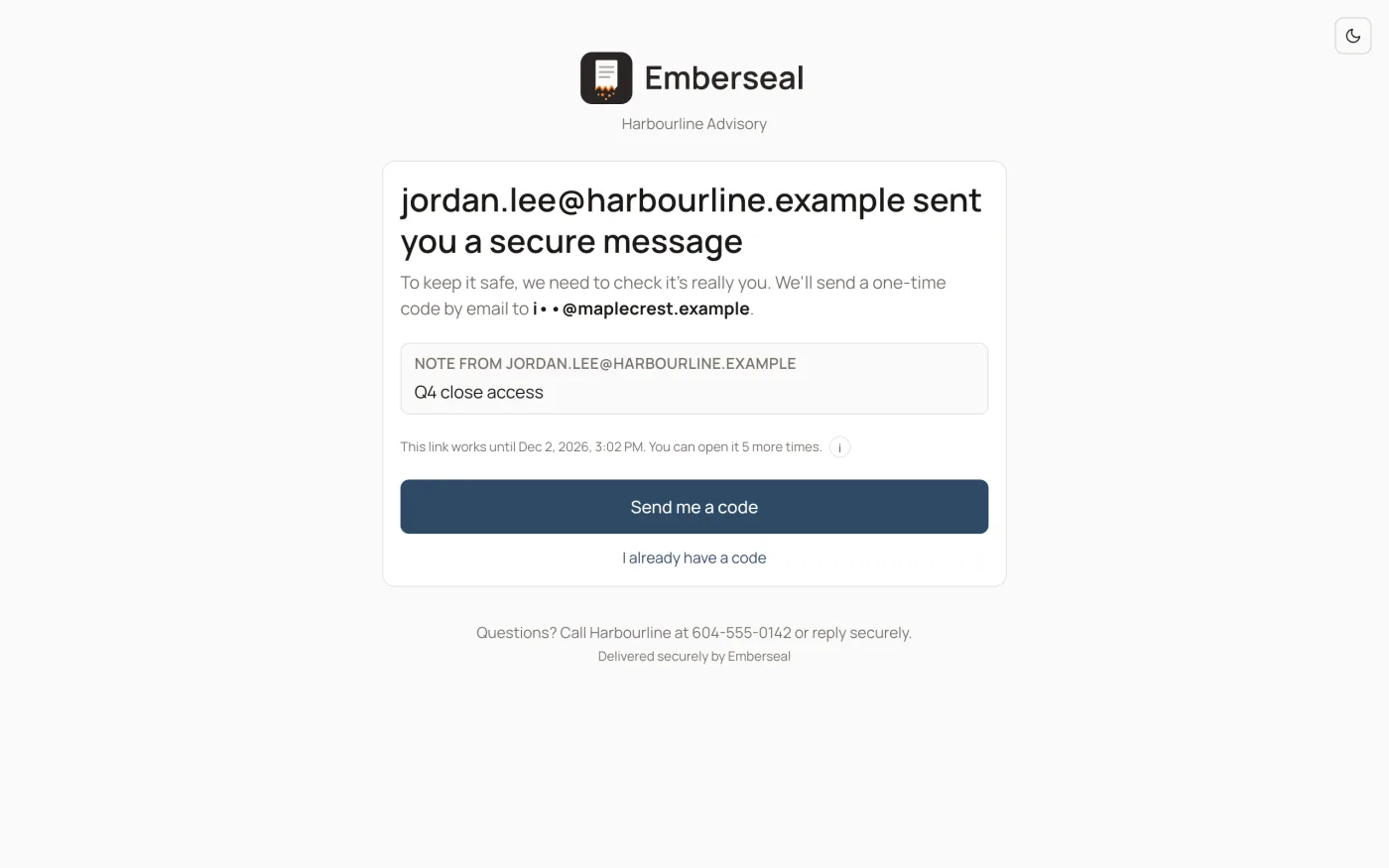
The link alone shows nothing. Each recipient asks for a one-time code, enters it, then reads, downloads and replies in the browser.
Secure delivery
Nothing sensitive in the inbox
The notification only tells someone that a message is waiting. Every recipient gets a different link and their own code, so a forwarded email gets the wrong person nothing, and the attempt shows up in the access trail.
The notification email
What it contains
- Who sent something, and why
- A link unique to that recipient
- Your logo and wording
Never in the email
What it never contains
- The message itself
- Any attachment
- The one-time code
Up to 50 recipients
Send like CC or BCC. With sharing on, recipients see who else got the message and when they opened it, while phone numbers, locations and replies stay private.
Email and text codesPremium
Send codes by SMS through Twilio or your own gateway, and require both an email code and a text code for the most sensitive messages.
S/MIME-signed emailPremium
Sign every notification and code email with your own certificate, so Outlook and Apple Mail show recipients it really came from you.
Credential requests
Collect credentials safely, not just send them
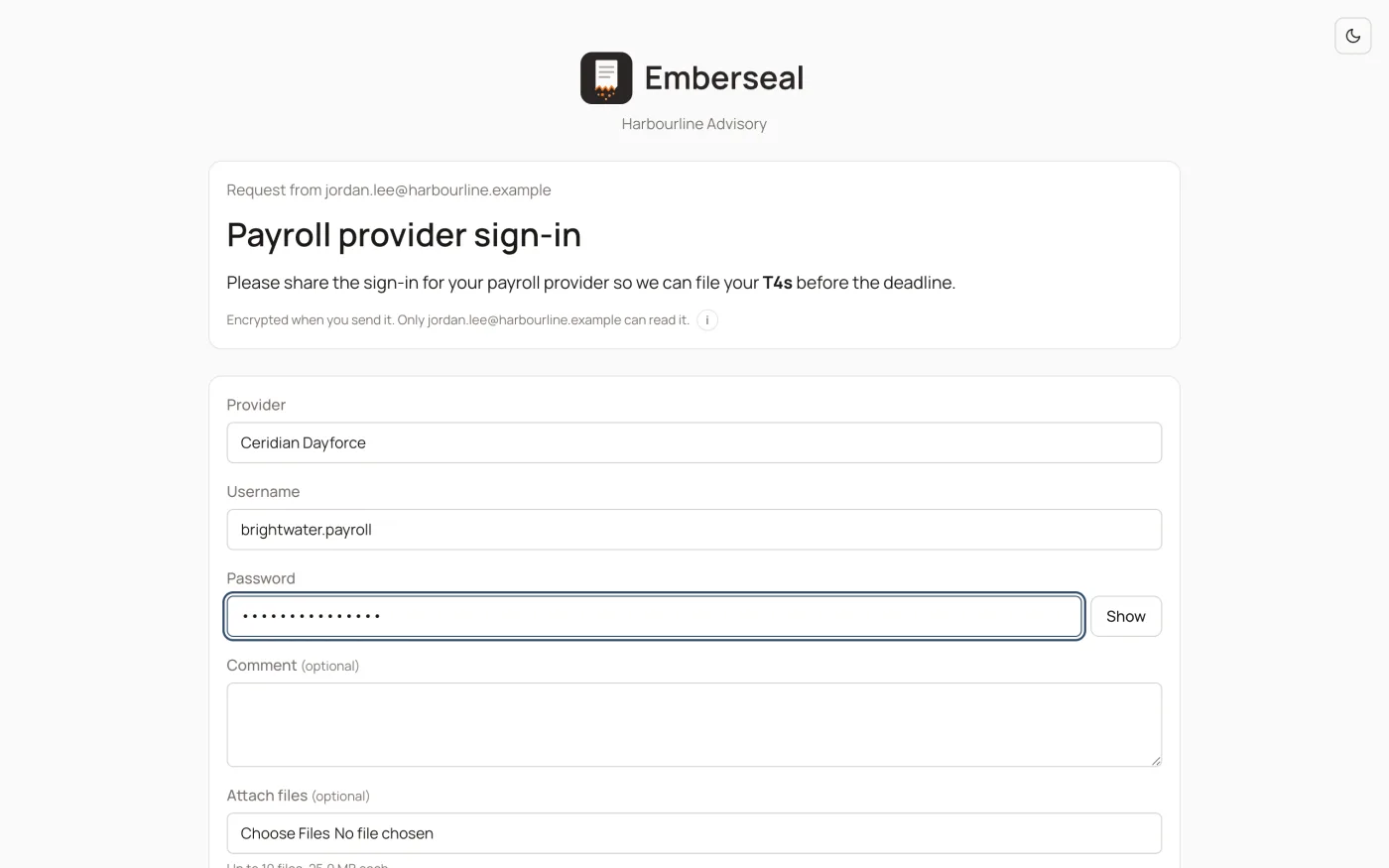
Need a customer’s login or API key? Send a short form with the fields you need instead of asking them to email it.
- Secret fields are masked as the customer types
- Everything is encrypted the moment it’s submitted, and only the person who asked can read it
- Copy the values into your own vault, then destroy the submission with one click
- Reusable templates for the requests you send every week
Data loss preventionPremium
Not a way around your DLP
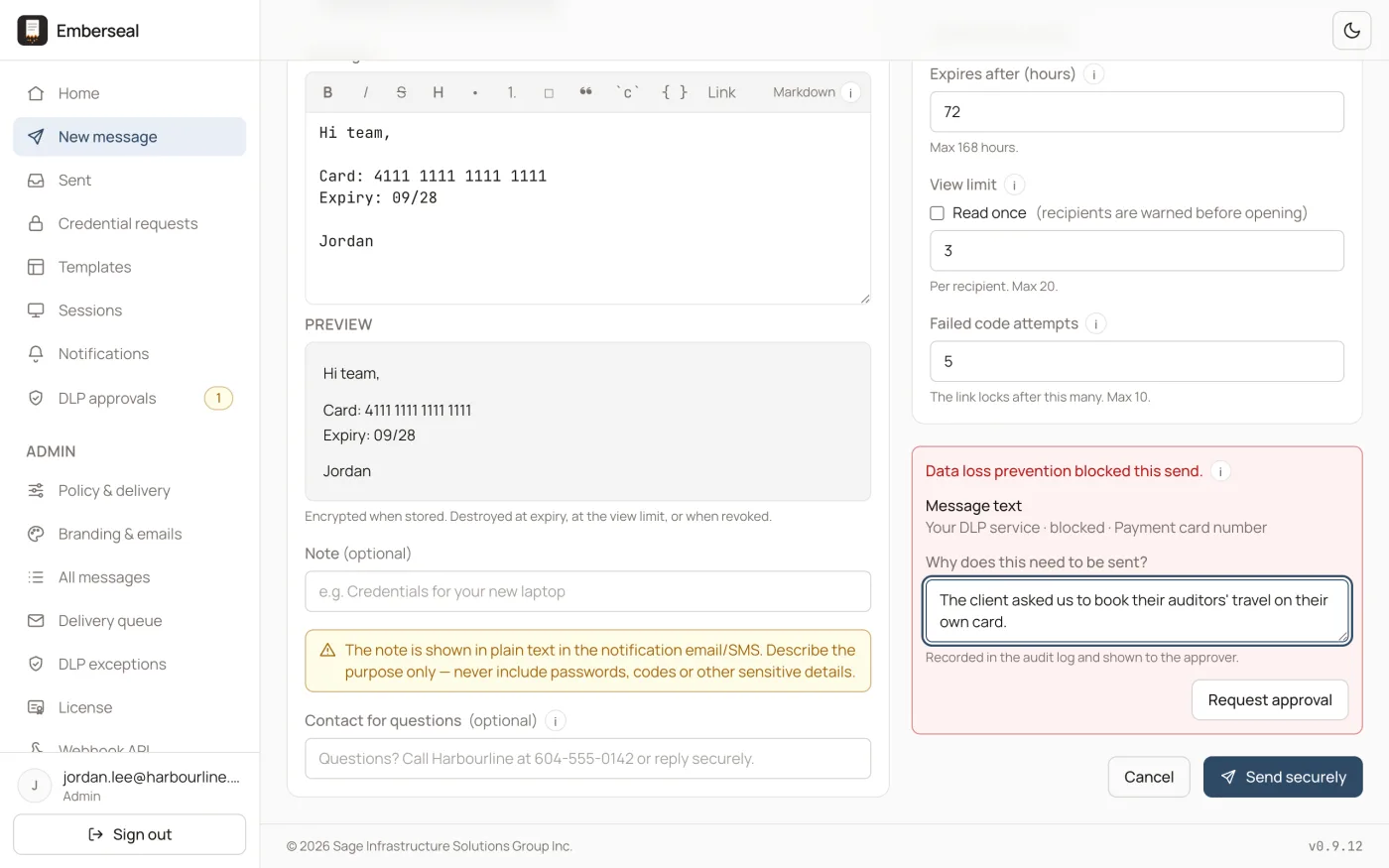
A secure channel shouldn’t become the way sensitive data leaves without anyone checking it. Before Emberseal stores a message or request, the text and every file go to your data loss prevention platform. If something is blocked, nothing is stored or sent.
- Microsoft Purview
- ICAP: Symantec, Forcepoint, Trellix and others
- Google Sensitive Data Protection
- Nightfall
- Your own service
Approvals without exposure
A blocked sender can ask an approver, who approves or denies without ever seeing the content.
Overrides and exceptions you control
Allow senders to override warnings with a written reason, and set standing exceptions for trusted recipients, domains or documents.
Fails closed
If your DLP platform can’t be reached, sending stops by default. Every check, block, override and approval is in the audit log.
Security
Destroyed means destroyed, and every access is on the record
Each message is encrypted under its own key, and everything that happens to it is recorded.
Destroyed by deleting its key
When a message expires, hits its view limit, is revoked or is destroyed by the recipient, its key is deleted with the content and files. Nothing readable is left on the live system.
Expiry, view limits and lockout
Every message has an expiry and a view limit within limits you set. Repeated wrong codes lock the link, and senders or admins can revoke anything at once.
A full access trail
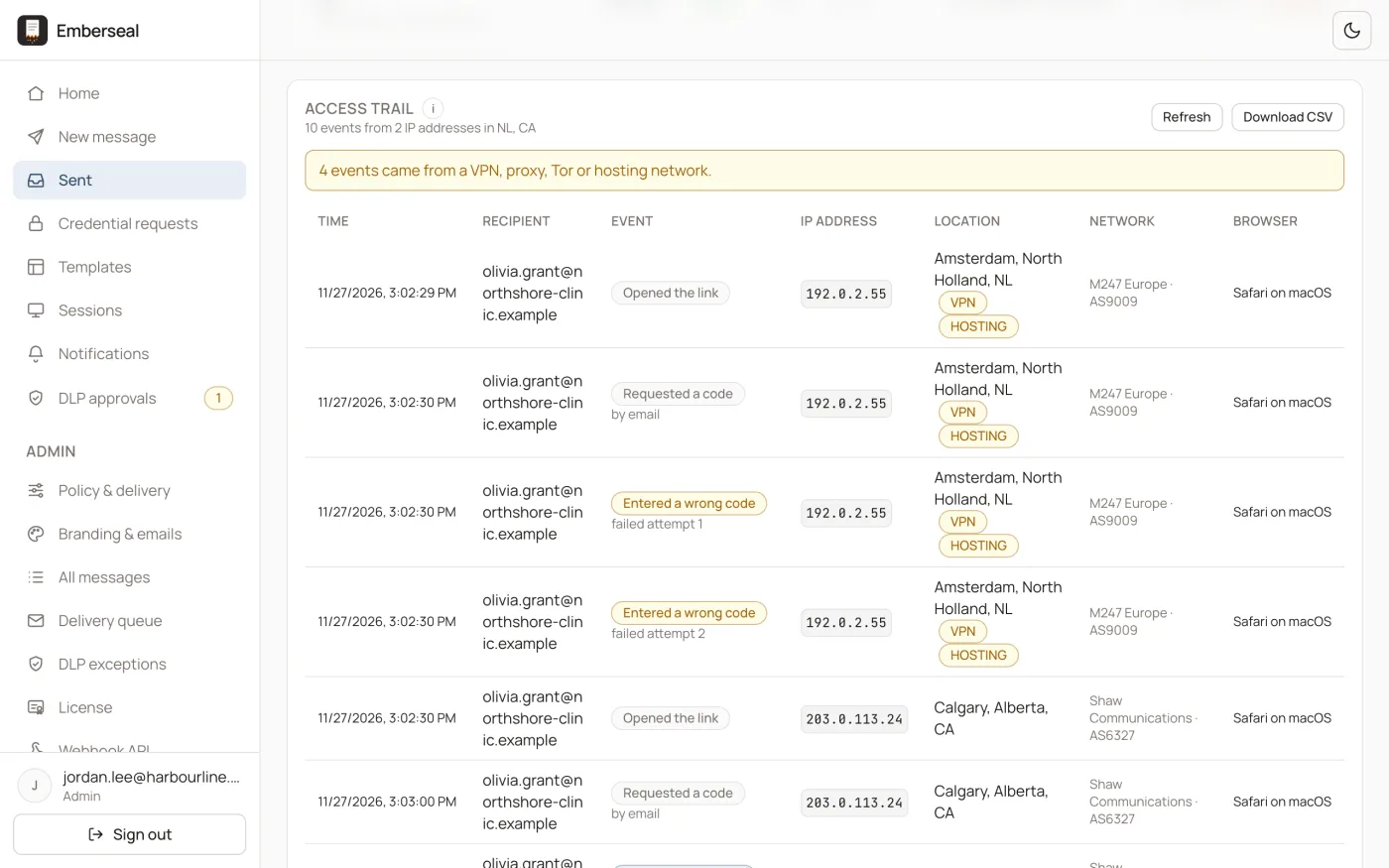
Every open, code request, failed code, view, download and reply, with IP address and browser, kept after the message is destroyed.
IP location and VPN flagsPremium
Each access shows its city, country and network, with VPN, proxy, Tor and hosting traffic flagged.
File checksums and virus scanning
Every file is hashed with SHA-1 and SHA-256 and scanned by ClamAV. The audit log records the hashes on every send and download.
FIPS 140-3 cryptography
Content, keys and codes use only Go’s FIPS 140-3 module in FIPS mode: AES-256-GCM at rest, and TLS terminated with approved cipher suites.
Plans
Unlimited users on every plan
Both plans include unlimited staff users and unlimited recipients, who never need an account. Emberseal is self-hosted only, on amd64 or arm64.
Standard
CA$50 a month
- Secure messages to up to 50 recipients, and credential requests
- One-time codes, expiry, view limits and lockout
- Single sign-on with any OIDC provider
- Access trail, file checksums and virus scanning
- FIPS 140-3 cryptography
- Templates, your branding and an immutable audit log shipped to your SIEM
Premium
CA$100 a month
- Everything in Standard
- Data loss prevention, with approvals, overrides and exceptions
- Text-message codes, or email and text together
- S/MIME-signed email
- IP location and VPN flags in the access trail
- Webhook API, and scoped MCP access for coding agents
Try it first: a new installation runs a 14-day evaluation with every feature switched on. Install a license at any point during or after it.
FAQ
Questions about Emberseal
Is there a hosted version?
No. Emberseal is self-hosted only: you run it on your own servers or cloud account, and your messages, keys and files never pass through ours.
What do I need to run Emberseal?
A container host (amd64 or arm64) for Emberseal with SurrealDB, Valkey and ClamAV beside it, a TLS certificate, an SMTP server for notifications, and an OIDC identity provider for staff sign-in. SMS needs a Twilio account or an HTTP SMS gateway.
Do recipients need an account or an app?
No. A recipient opens the link in any browser, asks for a one-time code by email or text, and enters it.
What if a recipient forwards the email?
The person it was forwarded to cannot read the message: the code goes to the original recipient’s email address or phone, not to whoever has the link. The attempt shows up in the access trail.
Who can read a message?
The sender and the recipients it was sent to, after verifying. Administrators can see that a message exists, who it went to and its access trail, and can revoke it, but cannot read it.
Does Emberseal work with our DLP?
Yes, on the Premium plan. Before anything is stored, Emberseal sends the message text and each file to Microsoft Purview, an ICAP DLP server, Google Cloud Sensitive Data Protection, Nightfall or your own service, and obeys the verdict. If DLP can’t be reached, sending stops by default.
Can recipients tell the email really came from us?
Yes, with S/MIME signing on the Premium plan. Use a certificate from any certificate authority, or keep the key in Azure Key Vault or Managed HSM, and every email Emberseal sends is signed so Outlook and Apple Mail show who it came from.
Can I try Emberseal before buying?
Yes. A new installation runs a 14-day evaluation with every feature switched on. Sending stops when the evaluation ends until a license is installed; links already sent keep working.